
Desk Height Calculator: Your Sitting and Standing Heights
As an Amazon Associate I earn from qualifying purchases. Last updated: November 9, 2026.
This desk height calculator turns your height into five numbers: chair seat height, sitting desk height, monitor height, standing desk height and standing monitor height. It also tells you what chair height and footrest you need if your desk doesn’t adjust.
Most desks are built for an average person who doesn’t exist. If yours feels a bit off, your shoulders and wrists usually notice before you do.
- Chair: feet flat on the floor, thighs about level. That’s roughly 24.1% of your height.
- Desk: keyboard at elbow height, elbows bent between 90 and 120 degrees.
- Monitor: top of the screen at or slightly below eye level, 20 to 40 inches away.
- Standing desk: at standing elbow height, about 61.7% of your height.
- Example, 5’9″: chair 16.5 in, desk 26.5 in, standing desk 42.5 in (barefoot).
Use the Desk Height Calculator
Type your height and, if you wear shoes at your desk, the thickness of the soles. Everything else is worked out for you, in inches or centimeters.
🪑 Desk Height Calculator
Enter your height to get your chair, desk and monitor heights for sitting and standing. Already have a desk that doesn’t adjust? Pick the second option.
How This Desk Height Calculator Works
Plenty of tools online multiply your height by a number that nobody explains. We wanted real body data behind ours.
So this desk height calculator uses the ANSUR II anthropometric survey, the US Army’s large body-measurement study. It measured 4,082 men and 1,986 women between 2010 and 2012, and the full report is public. We took the median (50th percentile) measurements and turned them into shares of total height:
| Body measurement (ANSUR II) | Share of height | Used for |
|---|---|---|
| Back-of-knee (popliteal) height | 24.1% | Chair seat height |
| Elbow height above the seat, sitting | 14.2% | Sitting desk height (added to seat) |
| Eye height above the seat, sitting | 45.9% | Monitor height, sitting |
| Elbow height, standing | 61.7% | Standing desk height |
| Eye height, standing | 93.4% | Monitor height, standing |
Then it applies the setup rules from OSHA’s computer workstation guide: feet flat, keyboard at elbow height, and the top of the monitor at or a little below your eyes.
One honest limit. People with long legs and a short torso (or the other way round) won’t match the median exactly. If something still feels wrong after you set it up, measure yourself using the steps further down.
Desk Height Chart by Height
No time for the desk height calculator? Find your height in the chart. These are barefoot numbers, so add your shoe soles.
| Your height | Chair seat | Sitting desk | Monitor top (sitting) | Standing desk |
|---|---|---|---|---|
| 4’10” (147 cm) | 14 in | 22 in | 40.5 in | 36 in |
| 5’0″ (152 cm) | 14.5 in | 23 in | 42 in | 37 in |
| 5’2″ (157 cm) | 15 in | 24 in | 43.5 in | 38 in |
| 5’4″ (163 cm) | 15.5 in | 24.5 in | 45 in | 39.5 in |
| 5’6″ (168 cm) | 16 in | 25.5 in | 46 in | 40.5 in |
| 5’8″ (173 cm) | 16.5 in | 26 in | 47.5 in | 42 in |
| 5’10” (178 cm) | 17 in | 27 in | 49 in | 43 in |
| 6’0″ (183 cm) | 17.5 in | 27.5 in | 50.5 in | 44.5 in |
| 6’2″ (188 cm) | 18 in | 28.5 in | 52 in | 45.5 in |
| 6’4″ (193 cm) | 18.5 in | 29 in | 53 in | 47 in |
| 6’6″ (198 cm) | 19 in | 30 in | 54.5 in | 48 in |
For someone 5’4″, that’s about a 15.5 in seat and a 24.5 in desk. At 6 feet, it’s closer to 17.5 in and 27.5 in. A single fixed desk can’t suit both people, which is why adjustable chairs (and desks) matter so much.
Office Chair Height: Get Your Feet Flat
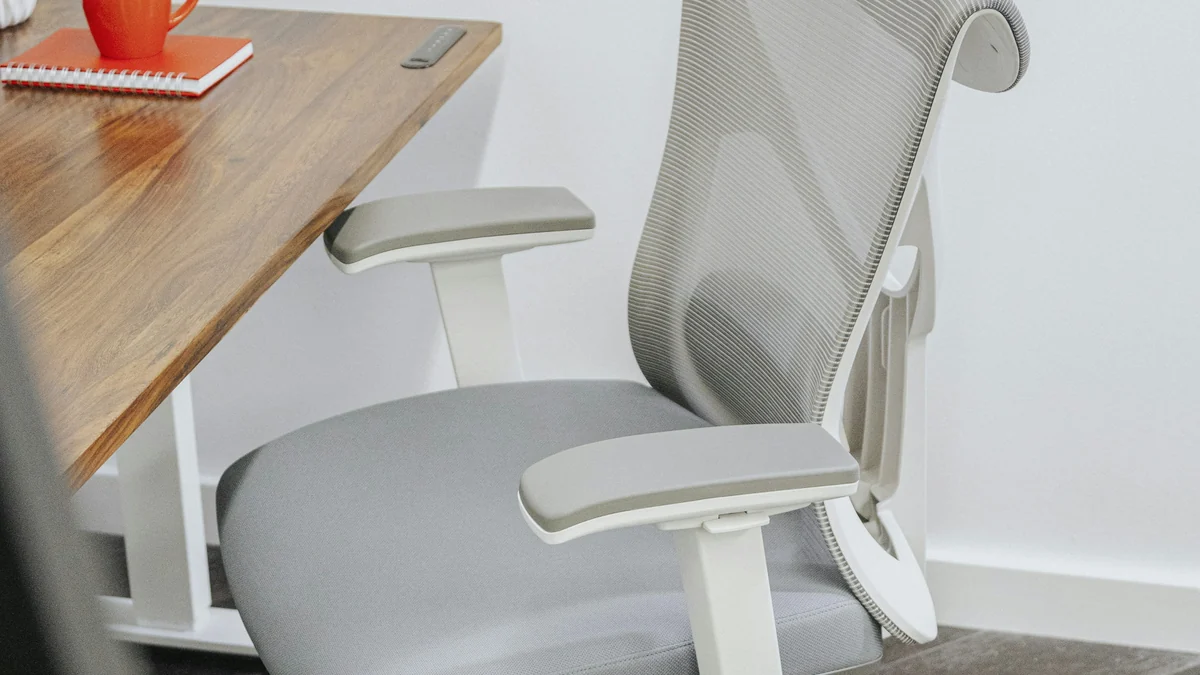
OSHA keeps the chair rule simple: the chair is at the right height when the whole sole of your foot rests on the floor, with your thighs roughly parallel to it. Your knees should sit about level with your hips.
A few more things to check on the chair itself:
- Seat height range. Look for a range that includes the seat number from the desk height calculator, with a little room either side.
- Seat depth. The seat should support most of your thigh without pressing into the back of your knee.
- Lumbar support. Ideally it adjusts up and down, so it sits in the curve of your lower back.
- Recline. OSHA suggests a backrest that leans back at least 15 degrees.
Shopping for a chair? Our SIHOO M57 vs Kinnls comparison covers two very different ergonomic chairs, and our GTRACING gaming chair review looks at a budget option. If you’re buying this month, check our Black Friday office chair deals first.
Sitting Desk Height: Elbows at Keyboard Level
The keyboard should sit at about the same height as your elbows, with your upper arms hanging relaxed at your sides, per OSHA. Your elbows end up bent somewhere between 90 and 120 degrees, and your wrists stay straight.
Using a normal keyboard on top of the desk? Then it’s the keys, not the desktop, that should line up with your elbows. A thick keyboard may need the desk set a little lower. The desk height calculator assumes the keys sit at elbow height.
Also leave room underneath. OSHA says legroom under a desk should generally be 20 to 28 inches high, so check that before you buy a desk with a drawer in the middle. Our Sweetcrispy L-shaped desk review is a good example of a roomy, budget-friendly setup.
Want to see what else is popular? Amazon’s best-seller list for office desks is a quick way to compare sizes and height ranges. Check each listing’s height against your numbers from the desk height calculator.
Desk too high and it doesn’t adjust?

This is the most common problem, and OSHA has a simple fix: raise the chair until your elbows line up with the desk, then put a footrest under your feet. Choose “Chair height for a desk that doesn’t adjust” in the desk height calculator and it tells you both numbers.
If the desk is too low instead, the chair would have to drop below your knee height. That’s when furniture risers or a taller, height-adjustable desk make more sense.
Standing Desk Height
The same elbow rule applies when you stand: keyboard at elbow height, shoulders relaxed. OSHA describes a good standing posture as legs, torso, neck and head roughly in line, and says it’s fine to rest one foot on a footrest. For a 5’6″ person, the desk height calculator puts a standing desk at about 40.5 inches barefoot.
Two practical points. First, check the desk’s height range before buying. It needs to reach the standing number from the desk height calculator, plus your shoes. Second, don’t stand all day. OSHA points out that staying in any one posture for long periods isn’t healthy, so switch between sitting and standing.
Got a counter-height or standing desk and want to perch rather than stand? A tall drafting chair is the in-between option. We reviewed one in our Primy drafting chair review.
Monitor Height and Distance
Set the top of the screen at or slightly below eye level, according to OSHA, and keep it 20 to 40 inches (50 to 100 cm) from your eyes, straight in front of you. The desk height calculator gives you the exact screen height for both sitting and standing.
- Wear bifocals? Set the monitor lower than usual so you don’t tip your head back.
- Using a laptop all day? Raise it on a stand and plug in a separate keyboard, or the screen ends up far too low.
- Two monitors? Put the one you use most straight ahead.
How to Measure Yourself for Exact Numbers
The desk height calculator gets most people close. For an exact fit, grab a tape measure and a helper:
- Sit on a firm, flat chair with your feet flat and knees bent at a right angle.
- Measure from the floor to the back of your knee. That’s your ideal seat height.
- Let your arms hang, bend your elbows to 90 degrees, and measure from the floor to the underside of your elbow. That’s your sitting desk height.
- Stand up in the shoes you’ll wear at the desk and repeat the elbow measurement for your standing desk height.
Common Desk Setup Mistakes
Even with a desk height calculator, these four mistakes are easy to make:
- Setting the desk first. Set the chair for your legs, then match the desk (or a footrest) to your elbows.
- Forgetting your shoes. An inch of sole changes every number. Add it in the calculator.
- Monitor on a stack of books, way too high. The top of the screen goes at eye level, not the middle.
- Buying a standing desk that stops short. Tall users should check the maximum height carefully.
Desk Height FAQ
What desk height do I need if I’m 5’4″?
About 24.5 inches for a sitting desk and 39.5 inches standing, barefoot. Your chair seat should be around 15.5 inches.
What desk height do I need if I’m 6 feet tall?
About 27.5 inches sitting and 44.5 inches standing, barefoot, with a chair seat near 17.5 inches.
Should my feet touch the floor at my desk?
Yes. Your whole foot should rest flat on the floor. If raising the chair to reach the desk lifts your feet off the floor, add a footrest.
How far away should my monitor be?
Between 20 and 40 inches from your eyes, with the top of the screen at or just below eye level.
Does the desk height calculator work in centimeters?
Yes. Switch the units to centimeters and enter your height in cm. Every result comes back in centimeters.
The Bottom Line
Set the chair for your legs, the desk for your elbows and the screen for your eyes, in that order. The desk height calculator gives you all three numbers in a few seconds, and the chart covers you if you’d rather skip it. For more sizing tools, see our furniture dimensions calculator page.
Sources: OSHA Computer Workstations eTool (chairs, desks, keyboards, monitors, good working positions); Gordon et al., 2012 Anthropometric Survey of U.S. Army Personnel (ANSUR II), via Penn State OPEN Design Lab.